Every lead answered. Fast.
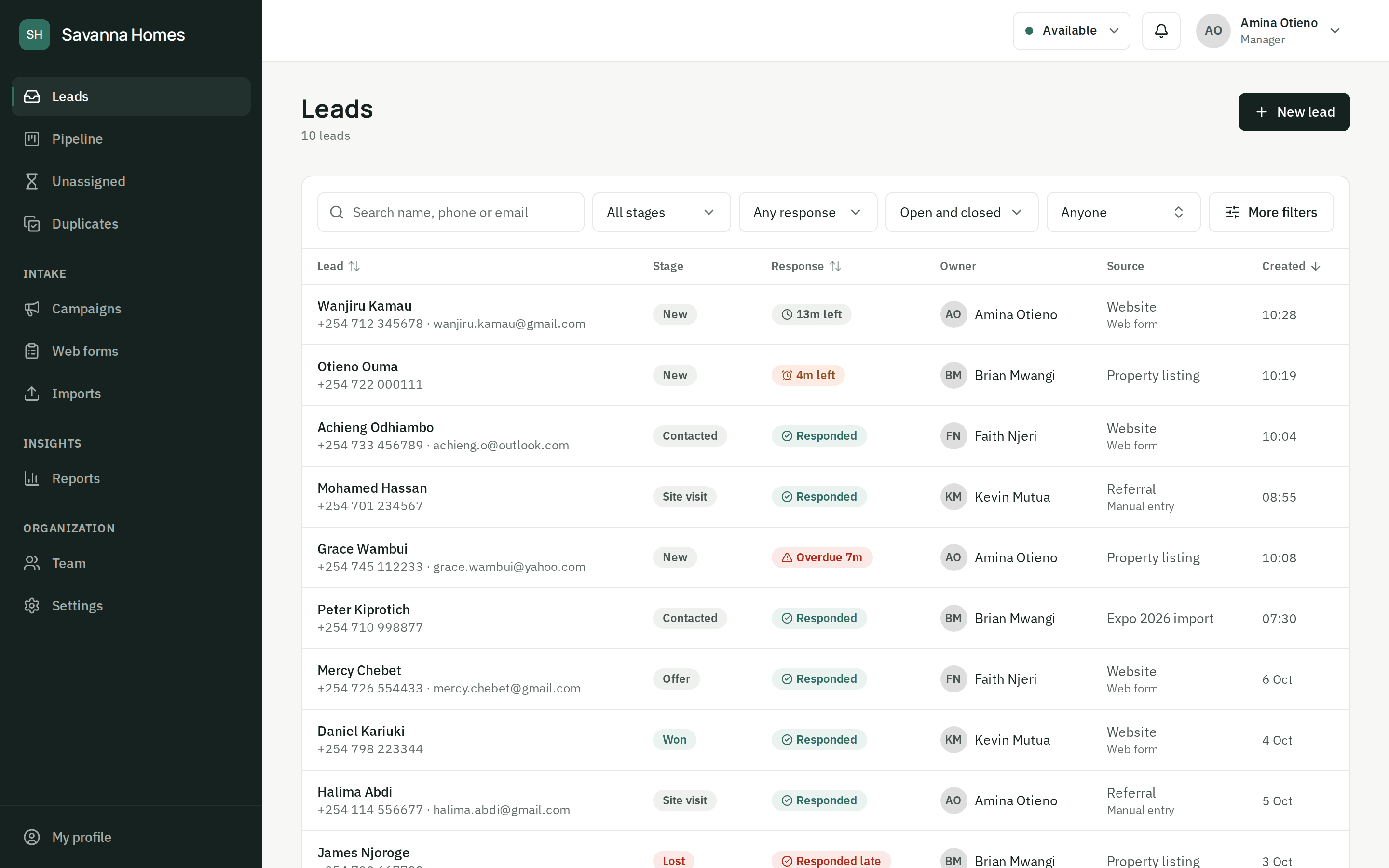
ZonoLead captures leads from your website forms, spreadsheets and API, sends each one to an agent who's free right now, and starts a response clock you can see.
Free to start · No card needed · Set up in an afternoon
The problem
Most leads aren't lost. They're left.
You already paid for the click, the listing or the ad. What happens in the next ten minutes decides whether it was worth it.
Unassigned
Leads sit in a shared inbox that nobody owns.
Unanswered
The first reply comes hours later, after a competitor's.
Unseen
Managers can't tell what's stuck or who's behind.
Who it's for
Start small. Grow into it.
Small teams
Start free, add your team and put the form on your site today. No setup call needed.
- One inbox for web forms, imports and manual entry
- Leads shared out fairly, automatically
- Works on the phones your agents already carry
Growing sales organizations
Shifts, breaks and workload-based routing, response targets per source, and the dashboard in your own brand.
- Routing that knows who is on shift and who is on a break
- Response targets and breach alerts per source
- Your logo and colours on the dashboard
How it works
From the first click to a closed deal
Five steps, one dashboard. Each lead is captured, handed to someone who can take it, answered on the clock and followed to the end.
Every lead in one inbox, the moment it arrives
Put a ZonoLead form on your website, post leads from your own systems, or import a spreadsheet. Each lead lands in the same inbox with its source and campaign.
- Embed a form on any website, or post from your own
- Import a spreadsheet of existing leads
- Duplicates caught by phone and email
- WhatsApp and Facebook Lead AdsComing soon
The next lead goes to someone who can call now
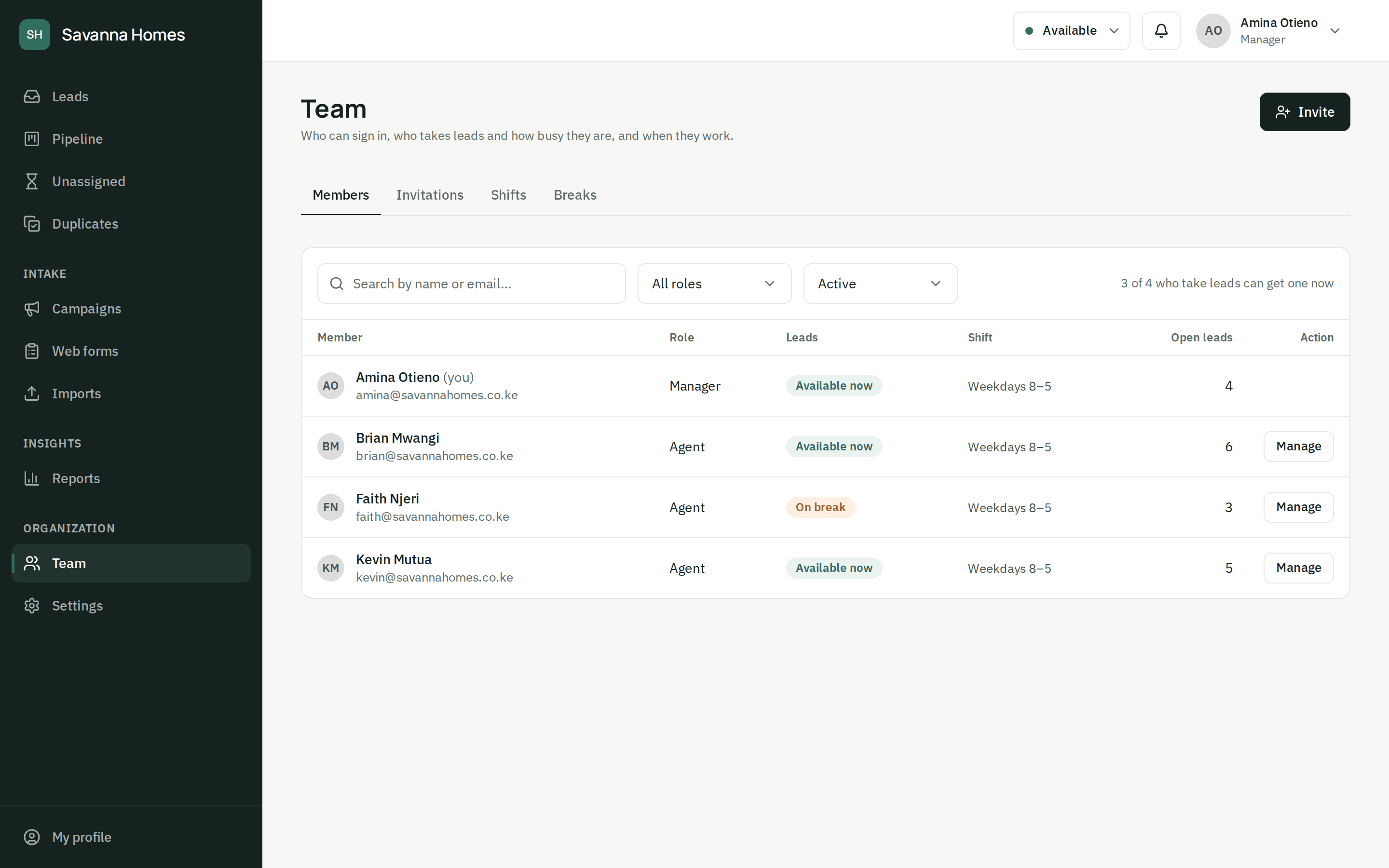
ZonoLead picks among agents who are on shift, available and not on a break, and gives the lead to whoever has the fewest open leads. Returning customers go back to their agent.
- Shifts, breaks and availability respected
- A fair share by open leads, not by luck
- Returning contacts go back to the agent they know
- Reassign by hand, with the full history kept
A response clock on every lead
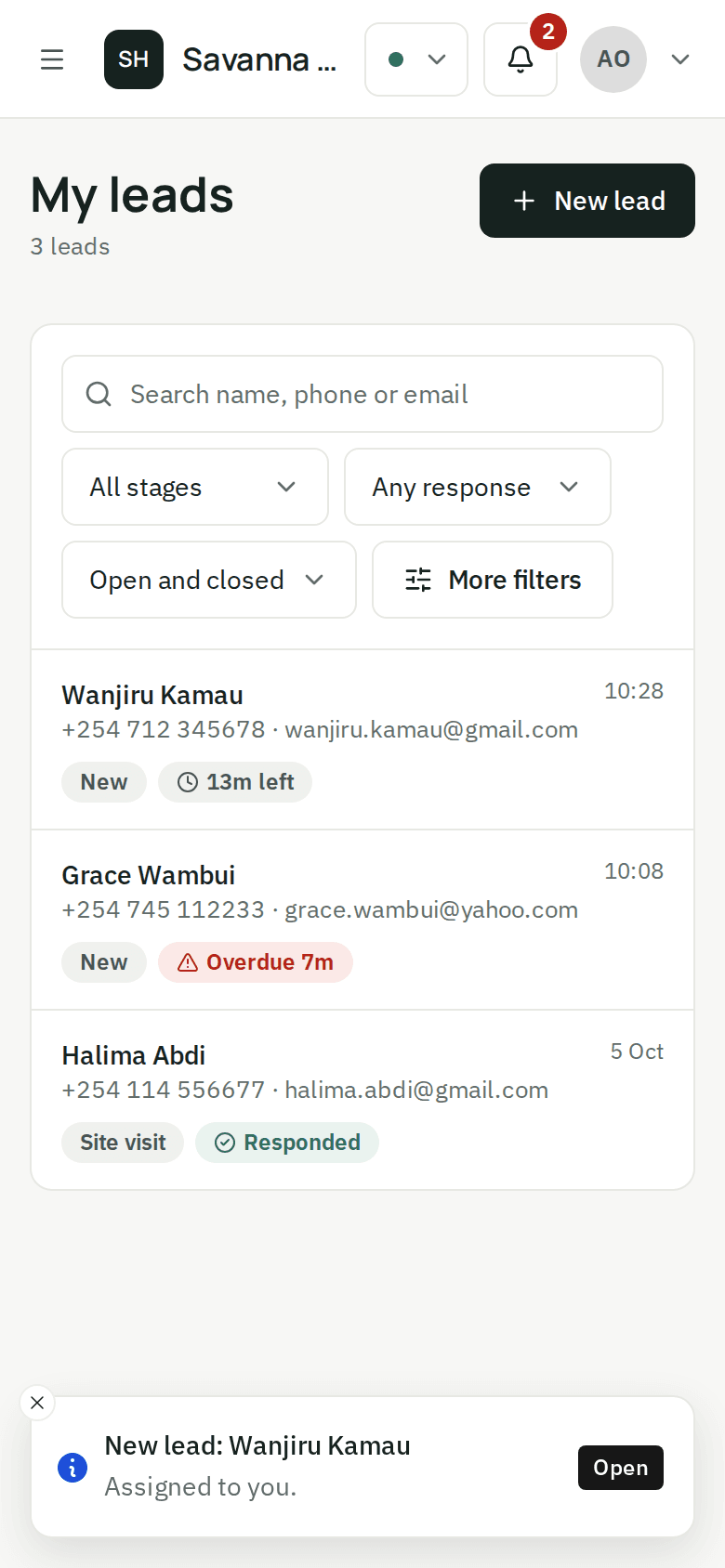
Set a response target for each source. Every lead shows how long is left, turns amber as the deadline nears and red once it's missed, and its owner is warned in time.
- Response targets per source
- A countdown on every lead, on desktop and phone
- A warning before the deadline, an alert when it's missed
- First response recorded from calls, messages and stages
Your stages, and everything that happened
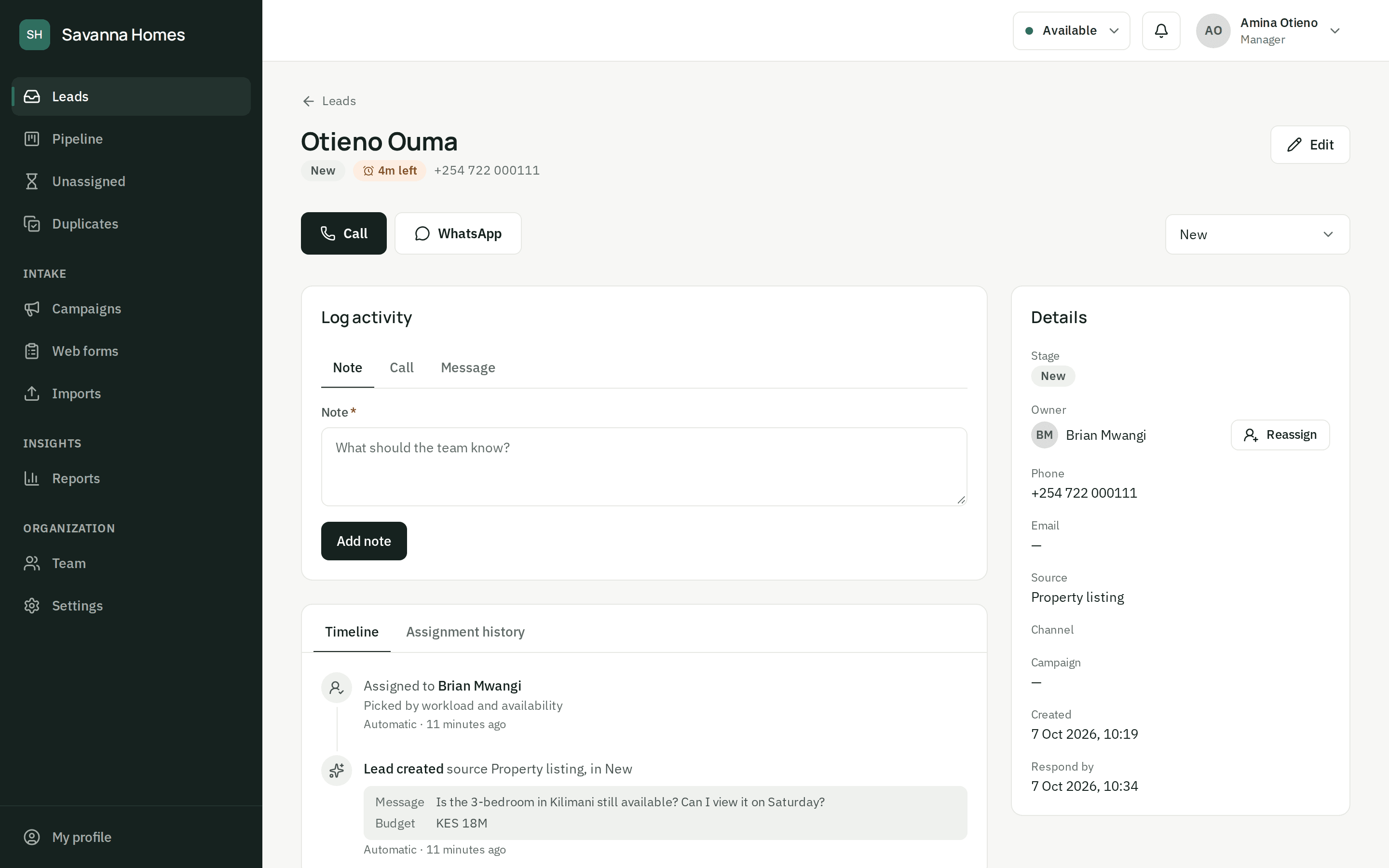
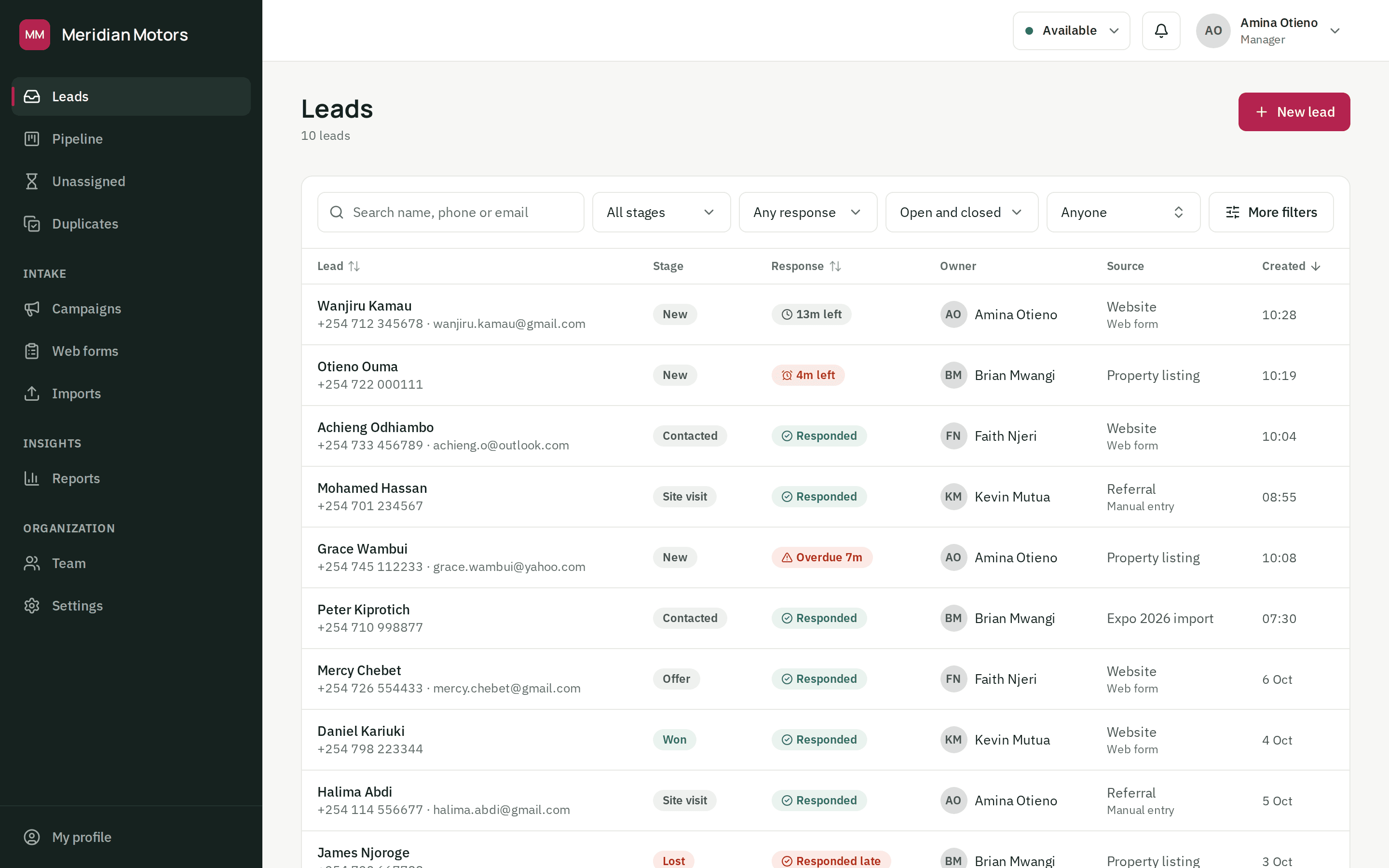
Name your own stages and drag leads between them. Every call, note, message, handover and stage change sits on the lead's timeline, so anyone can pick up where a colleague left off.
- Your own stages, with won and lost
- A board you can drag leads across
- Calls, notes and messages logged in one place
- Duplicate leads merged into one history
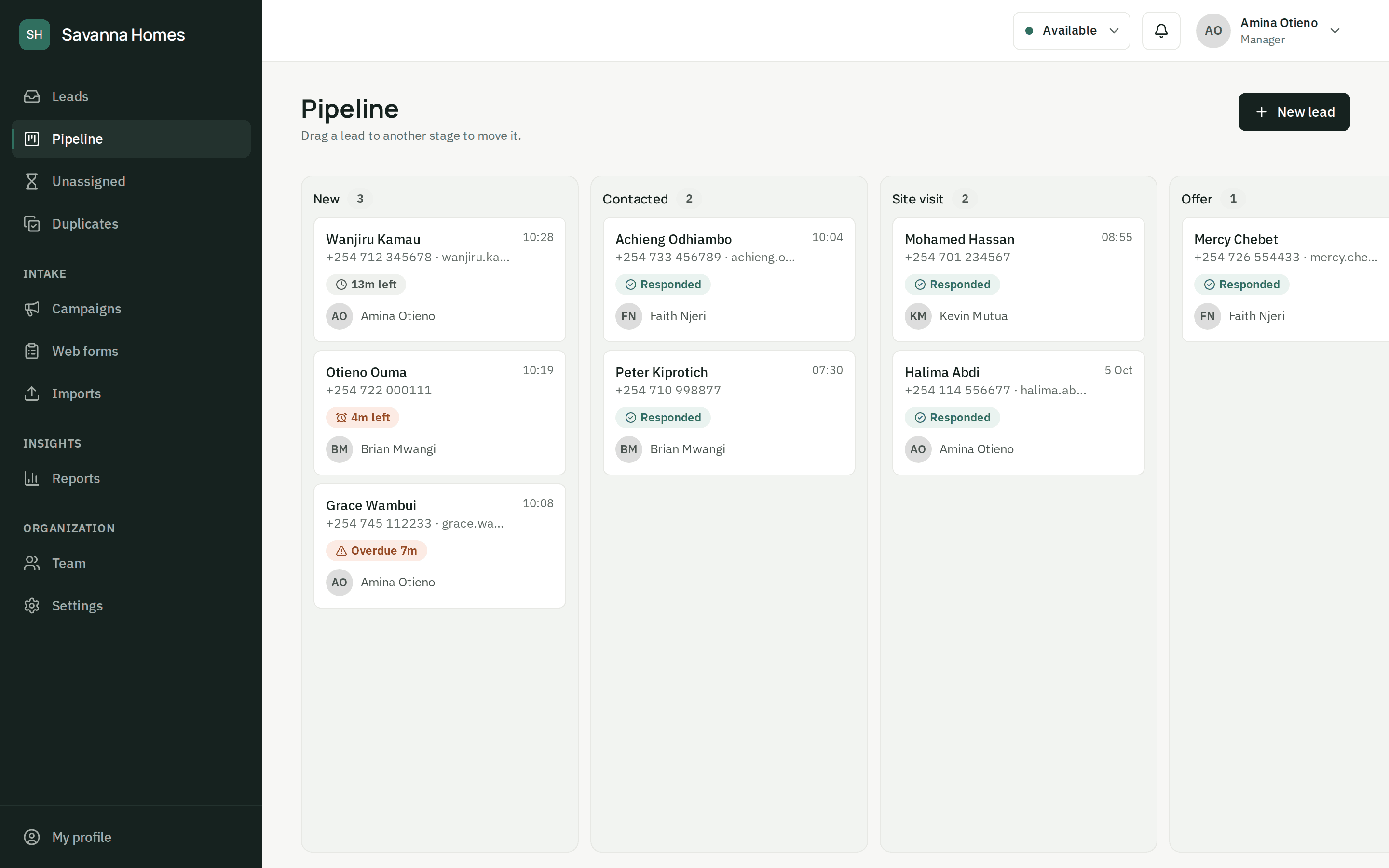
See who responds, and what converts
Conversion, average first response and deadlines met for any period, for the whole team or one agent, broken down by source, channel and campaign.
- Conversion and first response time for any period
- Broken down by source, channel and campaign
- The whole team's numbers, or just your own
- An audit log of who viewed and changed what
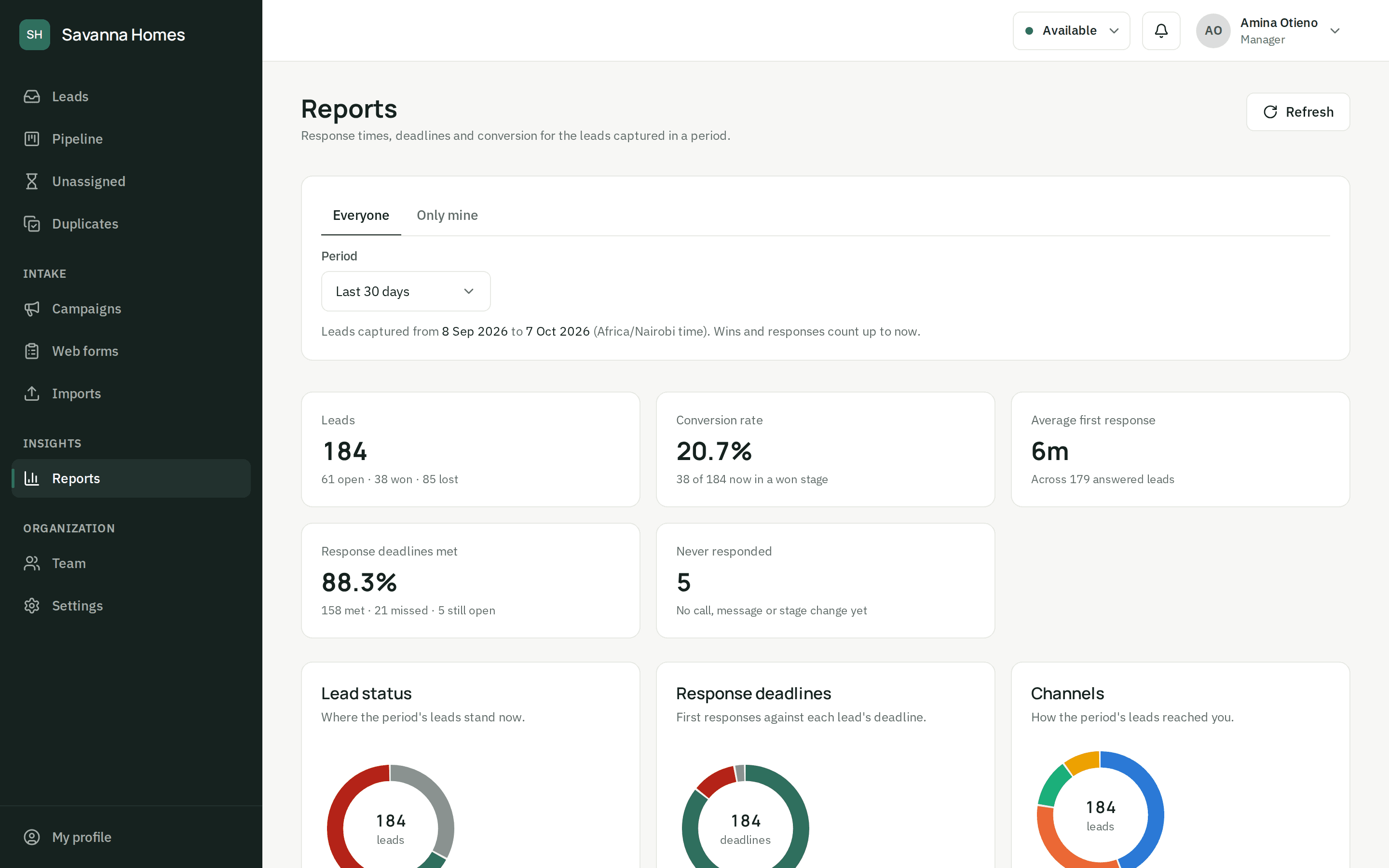
Response clock
Everyone can see the deadline
Each lead counts down to its response target. It turns amber as time runs short and red once it's missed, so agents know what to call first and managers see who is behind before a customer gives up.
How the response clock worksPipeline
Every deal, stage by stage
Drag leads across your own stages, from first call to won or lost. Calls, notes, messages and handovers are on each lead's timeline, so nothing lives in someone's head or someone's phone.
See the pipelineReports
Know where your sales come from
Conversion, first response time and deadlines met, by source, channel and campaign. Find out which ads, listings and forms bring buyers, and which agents answer first.
Explore reportsYour brand
Your team works in your colours
Upload your logo and pick your colour: the dashboard and sign-in page carry your brand, so your agents work in a tool that feels like yours.
Talk to us about your setup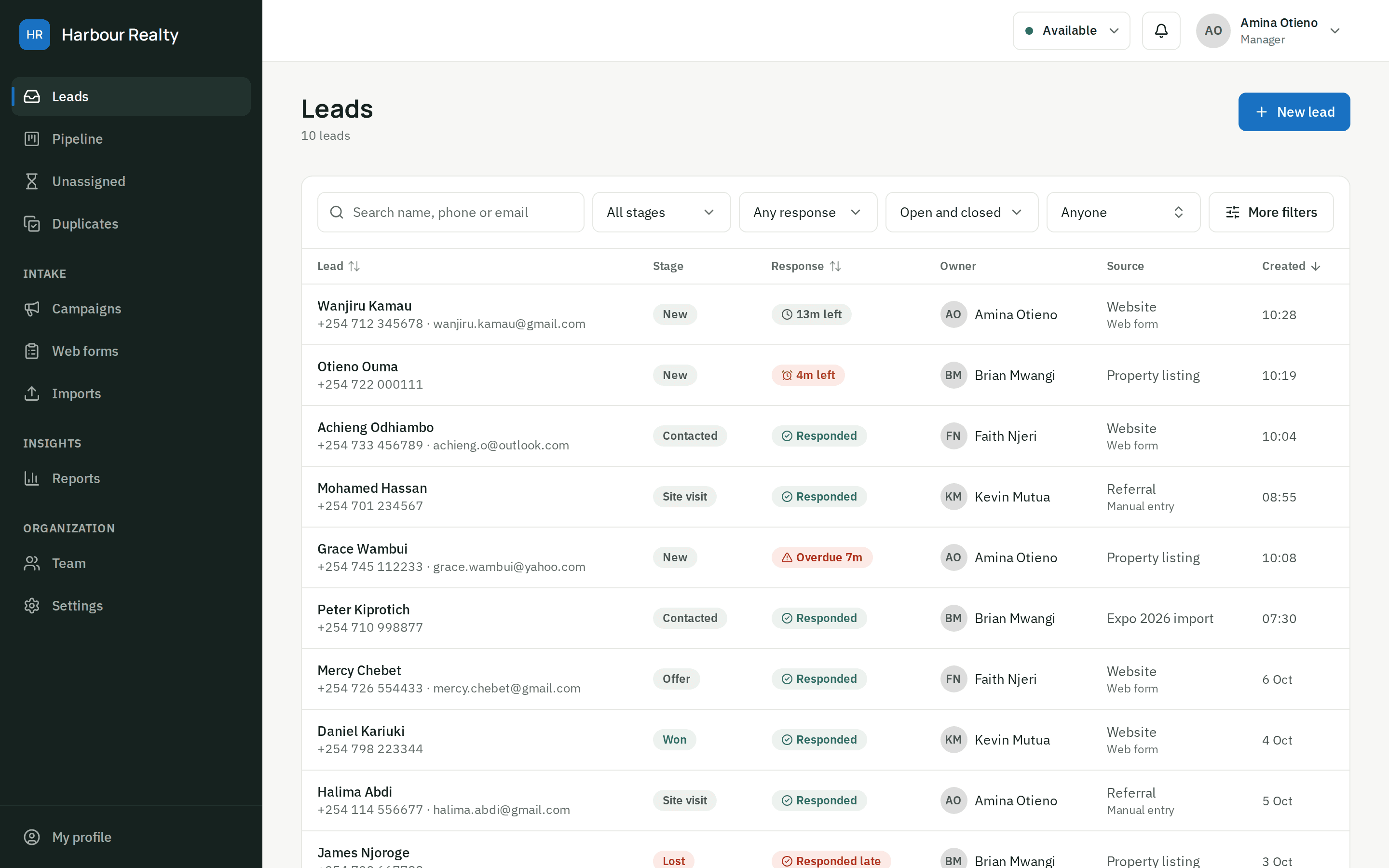
Wherever leads come from
Connect the places your customers already find you. More channels are on the way.
Website forms
Embed a form, or post from the one you have
API
Send leads from your own systems and landing pages
Spreadsheet import
Bring in the leads you already have, from a CSV
Manual entry
Walk-ins and phone calls, added in seconds
- Coming soon
WhatsApp Business
Messages to your business number, through Meta's official API
- Coming soon
Facebook & Instagram Lead Ads
Ad form submissions, the moment they come in
- Coming soon
Click-to-call
Calls from your ads and website, logged as leads
Every channel lands in the same inbox, deduplicated by phone and email.
Why ZonoLead
Built for teams that value speed, accountability and fit
- Speed
- The lead goes to someone who can call now, not someone on leave or on their lunch break.
- Accountability
- Every call, note and handover on one timeline, and an audit log of who did what.
- Fit for your team
- local time zones, shifts and breaks, and a dashboard that works on any screen.
Solutions
Built for teams that live on leads
Wherever a missed call is a lost sale, ZonoLead keeps every enquiry moving.
Real estate
Enquiries from listings and site boards go cold before anyone calls back.
Insurance
Quote requests wait while agents are out meeting clients.
Education & training
Applicants ask once, then enrol with whoever answers first.
Automotive dealers
Test-drive requests sit unclaimed between the showroom and the phone.
Financial services & SACCOs
Loan and membership enquiries get lost between branches.
Marketing agencies
Clients ask what happened to the leads your campaigns sent them.
Questions
Questions sales teams ask us
How does ZonoLead decide who gets a lead?
It looks at agents who are available, on shift and not on a break, and gives the lead to whoever has the fewest open leads (ties go to whoever waited longest). A returning customer goes back to the agent they spoke to, if that agent can take it. If nobody can, the lead waits in an unassigned queue and managers are told, or goes to anyone on the team: you choose.
Can our agents use it on their phones?
Yes. The dashboard works in any phone browser: agents see their leads with the time left to respond, get a notification when a lead is assigned to them, and can call or message from the lead in one tap. There's nothing to install.
Can we import the leads we already have?
Yes. Upload a spreadsheet (CSV): ZonoLead reads the usual column names (name, phone, email and so on), keeps every other column on the lead, gives you a report of any rows it couldn't use, and flags people who are already in your inbox.
Can we put a form on our own website?
Yes. Create a form in the dashboard and copy the snippet into your site, or post to it from your own form or system. Each form has its own source and campaign, and only accepts submissions from the websites you list.
Is the WhatsApp integration official?
It will be. WhatsApp lead capture is coming soon, built on Meta's official WhatsApp Business Cloud API, not an unofficial gateway that can get your number banned. Join the early list on the demo page to hear when it's ready.
Can we use our own logo and colours?
Yes. Upload your logo and pick your brand colour, and your team sees them across the dashboard and on your sign-in page. Your own custom domain is planned.
Stop losing leads you already paid for.
Set up your team and your first form today, or let us show you around.